ash_tui
Explore your Ash domains the terminal way.
After releasing ex_ratatui, I kept thinking… what are really good use cases for it?
Ash applications have all this rich metadata — domains, resources, attributes, actions, relationships — defined at compile time. So why not just browse all of that from the terminal?
There you go: ash_tui.
How it works
Add it to your Ash project and run:
mix ash.tui
That’s it!
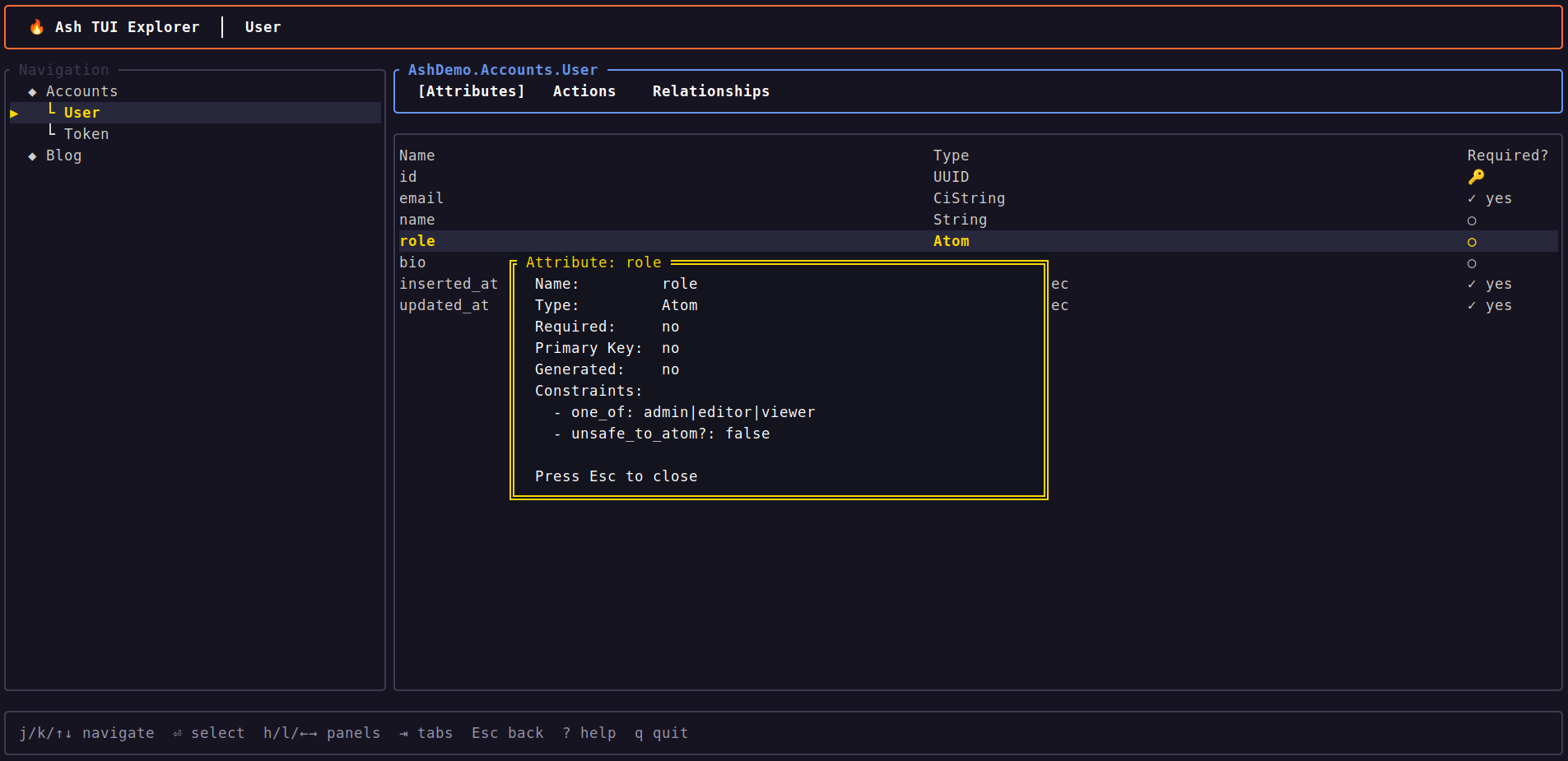
You get a two-panel interface: domain tree on the left, details on the right. Three tabs let you switch between Attributes, Actions and Relationships. Press Enter on any attribute to see the full details.
Follow relationships and navigate through domains like you’re exploring a map. Breadcrumbs keep track of where you’ve been, so you can always go back. Press ? if you ever get lost.
What’s next
This is very much a first version. There’s a lot more that can be done as you could imagine.
If you use Ash, give it a try and let me know what you think! Issues and PRs are more than welcome.
Or if you just want to build your own TUI in Elixir, check out ex_ratatui.